

Personalized Face Cover Art Studio
Review
This studio suits players who enjoy casual digital crafting and want a low-friction way to make custom face cover art. Its strengths are the immediate visual feedback, the range of colors and patterns, and the ability to layer stickers for detailed compositions. The main limitation is that the input does not describe advanced editing tools like undo or layer management, so complex designs may require careful planning. It runs in a browser, making it accessible on most devices.
Full story
Designing a Face Cover from Scratch
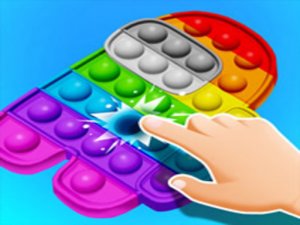
Personalized Face Cover Art Studio is a browser-based creative tool where the player's goal is to produce a finished face cover design. The process begins by selecting a base shape from the options presented. That choice establishes the canvas for everything that follows. The workspace is deliberately uncluttered: tools sit along the side, and the canvas occupies the main area, so the first decision is also the simplest.
Color, Pattern, and Surface Treatment
Once a shape is chosen, the color picker becomes the primary tool. It spans a wide range of shades, from muted pastels to bright neons, and each selection updates on the canvas immediately. Patterns—stripes, polka dots, and geometric prints among them—can be applied across the entire surface. Because changes render in real time, comparing combinations is quick, and the player can adjust until the surface treatment matches the intended look.
Layering Stickers and Embellishments
Stickers and embellishments carry most of the creative weight. Icons such as hearts, stars, and flowers are dragged onto the canvas, then resized, rotated, and repositioned with simple gestures. Stacking multiple elements builds depth, so a plain cover can become a layered composition. This is where the studio's customization focus is most apparent: the same base shape and color scheme can yield very different results depending on how stickers are arranged.
Saving, Sharing, and Platform Notes
Completed designs can be saved locally or shared through social media and messaging apps. Saved files retain high resolution, which keeps fine details legible. The tool runs entirely in a web browser, so no installation is required, and it works on desktop and mobile devices with touch controls suited to tablets and phones. That cross-platform support means a design session can start wherever the player happens to be.
Compatibility
FAQ
Reader Comments
Sign in to comment
You must be logged in before posting a review or rating.
No comments yet. Be the first to comment!





Editorial Notes