
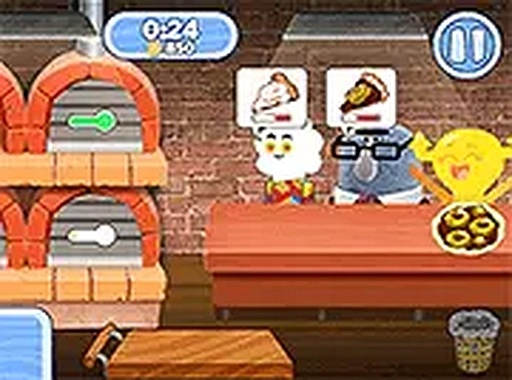
Pizza Town Service Rush
Review
Pizza Town Service Rush delivers a satisfying time-management challenge wrapped in bright, kid-friendly visuals. The core loop of reading orders, assembling ingredients, and baking pizzas is simple to grasp but offers depth as the speed increases. The gradual difficulty curve ensures players of all ages can improve their skills without frustration. The scoring and satisfaction meters provide clear feedback, making each successful order feel earned. It is a solid choice for anyone looking for a free, browser-based cooking game that values precision over chaos.
Full story
Order Fulfillment Workflow
At the heart of this experience lies a straightforward order-to-delivery cycle. Each customer approaches the counter with a specific request displayed on screen. Players must identify the required sauce base, cheese type, and topping combination before assembling the pizza. Once built, the pie moves to the oven for baking. After the timer signals it is done, the finished pizza is handed over. Accuracy matters: delivering the correct item earns points, while mistakes or slow service reduce customer satisfaction. A visible timer for each order adds gentle pressure, encouraging players to balance speed with precision.
Pacing and Difficulty Curve
The game begins at a relaxed tempo, giving newcomers time to learn the ingredient stations and practice the assembly sequence. As players progress, the frequency of incoming orders increases. Later stages require faster decision-making and more efficient movement between the preparation area, oven, and serving counter. This gradual ramp-up keeps the activity engaging without becoming overwhelming too quickly. The difficulty adjusts naturally, allowing players to build confidence before facing busier shifts.
Visual Style and Atmosphere
Bright, colorful graphics define the look of this cooking simulation. Characters are drawn in a friendly cartoon style that suits a broad audience. The setting evokes a lively town square, with warm colors and simple animations that make each pizza assembly step clear and easy to follow. The cheerful presentation helps maintain a lighthearted mood even during hectic moments. This visual approach ensures the game remains accessible and appealing to younger players while still offering enough structure for older fans of time-management games.
Controls and Accessibility
Interaction relies on mouse clicks or keyboard inputs, both of which respond quickly to player commands. The interface is designed with clarity in mind: ingredient buttons are labeled and arranged logically, and the customer order remains visible throughout the preparation process. A full-screen mode is available for those who prefer a more focused view. The game runs entirely in a browser window, requiring no downloads or account creation. These design choices make it easy for anyone to start playing without a lengthy setup.
Scoring and Feedback System
Each successfully completed order adds to a running score total. Customer satisfaction is tracked separately, giving players a sense of how well they are meeting demand. The score provides a clear metric for self-improvement, while the satisfaction meter offers immediate feedback on service quality. Together, these indicators help players identify areas where they can improve, such as reducing wait times or avoiding ingredient mistakes. The scoring system rewards both speed and accuracy, encouraging a balanced approach to each shift.







Reader Comments
Sign in to comment
You must be logged in before posting a review or rating.
No account? Create one
No comments yet. Be the first to comment!